
Configure · Build · Work · Monitor · Access
Everything an agent does is recorded afterwards.
The console is available only to enabled administrators. It is built around what an operator wants to do — not around which service holds the data.
01Configure
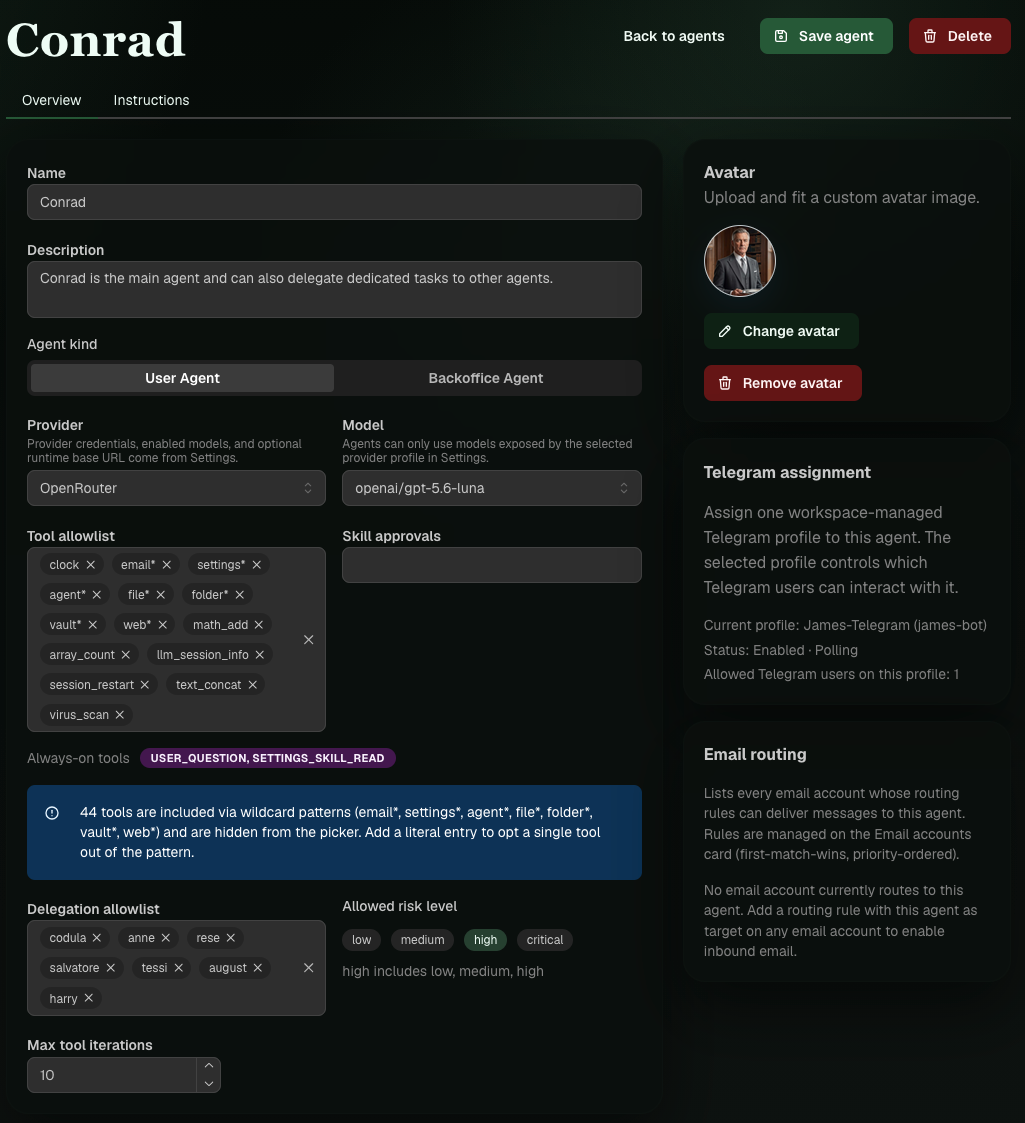
An agent is a job description. Every part of it is a decision you make.
- Provider & model
- Per agent, not per installation. Conrad can run on a local Ollama while Resi asks Gemini.
- System prompt
- Who the agent is and how it works, as Markdown.
- Tool allowlist
- By name or pattern. The model never even sees what is not on the list.
- Risk level
- The highest level the agent is allowed to execute.
- Skill allowlist
- Some skills are available to everyone; others must be enabled for each agent.
- Delegation allowlist
- Who this agent may hand work to. Nobody else.
- Kind
- UserAgent or BackofficeAgent. A back-office agent can receive work, but never a chat, task, or job.
Alongside it are seven settings pages: workspace, providers, channels, email, external tools including the MCP registry, integrations, and updates.
02Build
Skills are Markdown. Tools are a contract with a risk level.
A skill is a reusable work instruction. Agents may write their own if you allow it — that is exactly how the morning report from the use cases came about.
External tools run in a sandbox with an explicitly allowed write directory and a network setting of “off,” “loopback only,” or “open.”
---
name: morning-report-sme-ai
availability: user
agentAllowance: AllowanceRequired
---

1. Search for SMEs in Germany with
   documented AI use.
2. Check every source. No source, no entry.
3. Summarize in no more than 10 lines.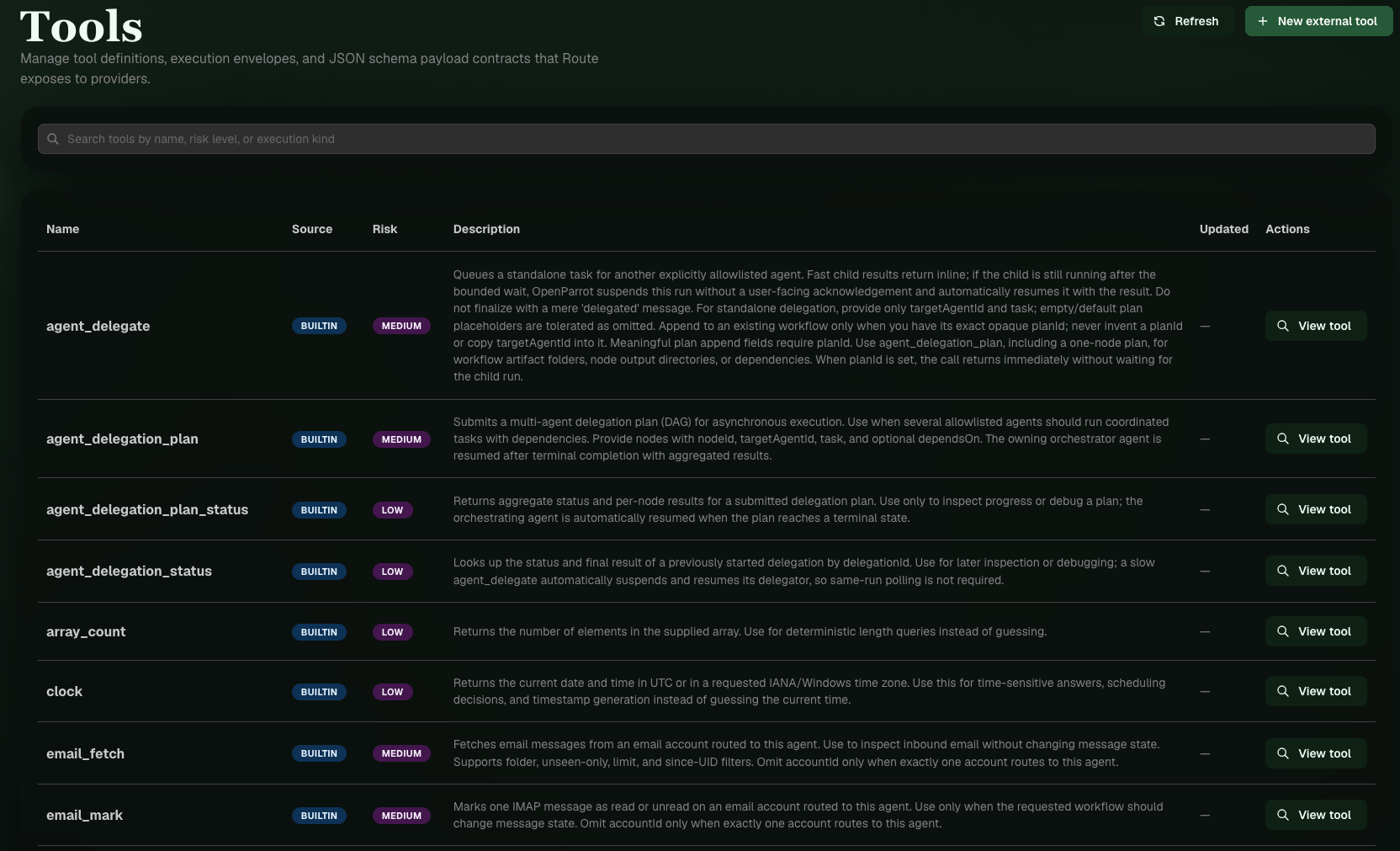
03Work
Tasks, jobs, and workflows — the same three things as in the app, just for every user.
- Tasks
- A board for each user. Administrators may act on their behalf.
- Jobs
- Scheduled in the correct time zone and tied to an agent and a creator.
- Workflows
- A diagram of delegation steps whose layout is saved.
04Monitor
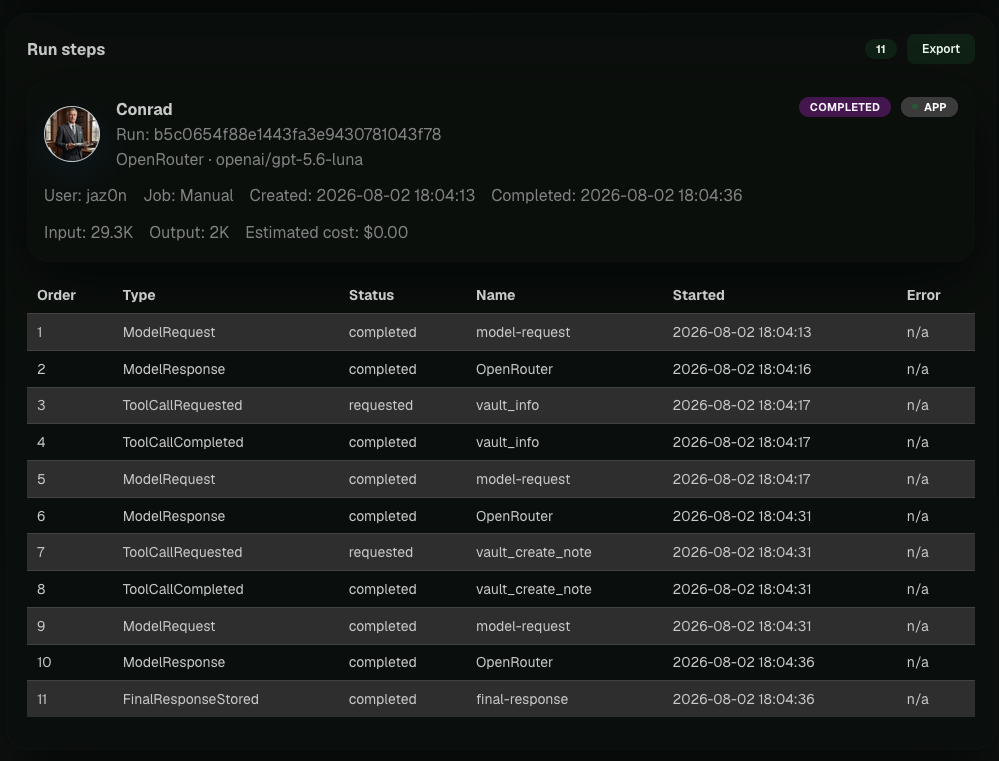
Every run breaks down into steps, and every step has a timestamp.
Model request, model response, tool call, tool result, saved response, delivery. Failures visibly land in the dead letter queue — not nowhere.
05Access
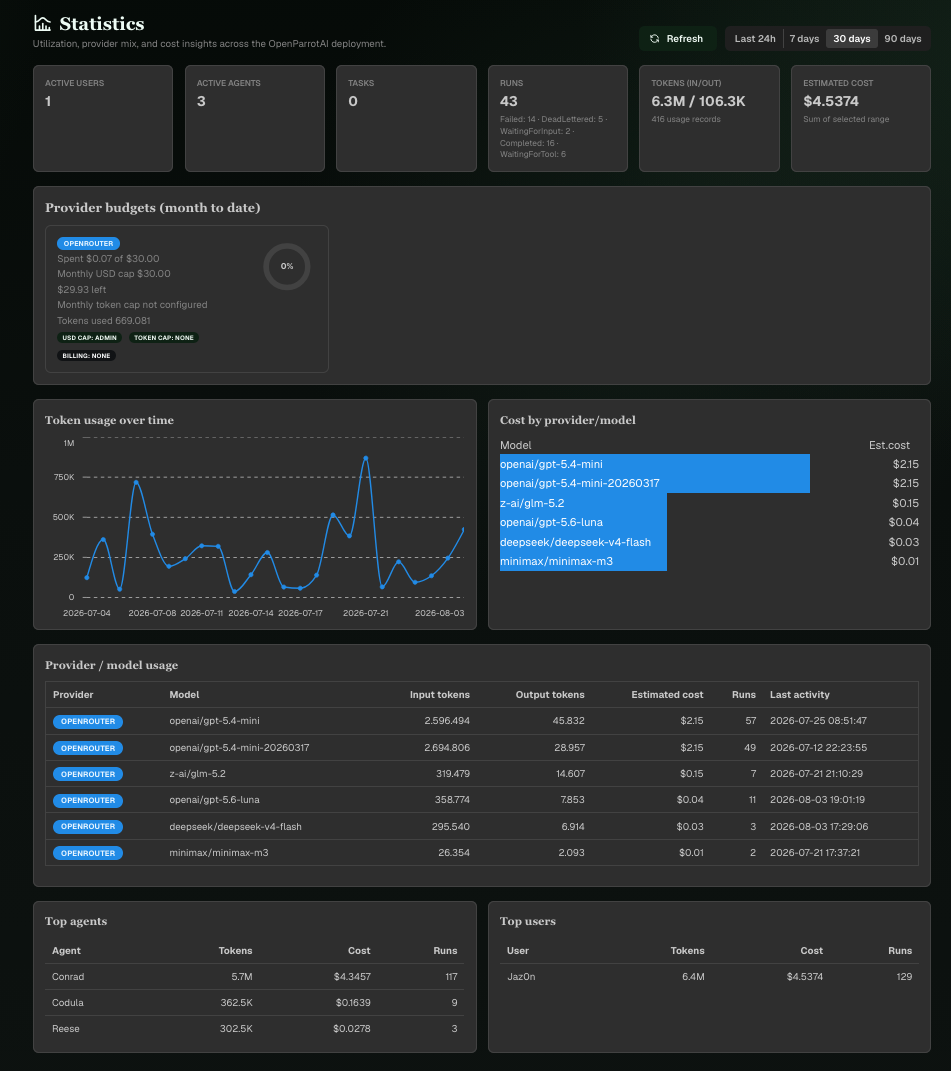
Who may see which agents, and how much they can spend each month.
- Agents per user
- Each user receives their own allowlist for agents.
- Monthly limit
- Unlimited, in tokens, or in estimated dollars. Once it is used up, no new work starts.
- Device pairing
- A pairing code for the app, not a password in plain text.
- Memory
- One document per user and agent that you can read and edit.
- Workspaces
- Create, rename, delete, set the runtime scope, and grant read or write access.