
Self-hosted · Your infrastructure
You do not rent a chatbot. You hire a team.
OpenParrotAI is a self-hosted platform for a team of AI assistants that do real work. Each agent gets a job description, a tool allowlist, and a budget. It reports back — and everything it did is recorded afterwards.

01The team
Eight agents, eight job descriptions. None of them can do everything. That is exactly the point.

Conrad
Coordinator
Takes the job, breaks it up and hands it to the right people.

Anni
Analysis
Checks the numbers, compares, finds the contradiction — and would rather ask than guess.

Resi
Research
Searches, reads, cites. Brings sources back, not just claims.

Salvatore
Sales
Writes the approach, holds the tone, and knows the customer from the inbox.
Paul
Product Owner
Keeps the product in view and formulates its instructions for the next sprint.

Harry
Hacker
Focuses on security topics, investigates vulnerabilities and turns findings into practical next steps.

Arthur
Author
Writes clearly and purposefully, from concise notes to considered long-form texts.

Codula
Coder
Shapes software concepts and develops reliable solutions from the first idea to working code.
Conrad delegates the work to the other agents.
02The system
A mobile app for users, a desktop app for users and administrators, and a backend in between. You choose which language model responds for each agent.
Fig. 01How a request travels through the system.
Diagram as text
- The mobile app connects iOS and Android users to the backend.
- The desktop app connects macOS, Windows, and Linux users to the backend and gives administrators access to configuration and operations.
- Telegram and email deliver messages to the backend.
- Inside the backend, Connect receives everything — it is the only service reachable from outside.
- Route queries the selected language model and runs tools.
- The model responds to Route.
- Session stores history, runs, steps, and costs.
- The result returns to the requesting app through Connect.
- Mobile app
- The user client for iOS and Android. Chats, tasks, workspaces, jobs, and profile settings.
- Desktop app
- The shared client for macOS, Windows, and Linux. Users get chats, tasks, workspaces, workflows, jobs, and skills; enabled administrators also get agents, settings, tools, statistics, operations, and users.
- Backend
- Five services: Connect is reception, Route is the workspace, Session is memory, Settings is the source of truth, and Identity handles sign-in. Only Connect is reachable from outside.
- Models
- Ollama locally without a key, or OpenAI, Claude, Gemini, and OpenRouter. Any OpenAI-compatible address works.
03The engine room
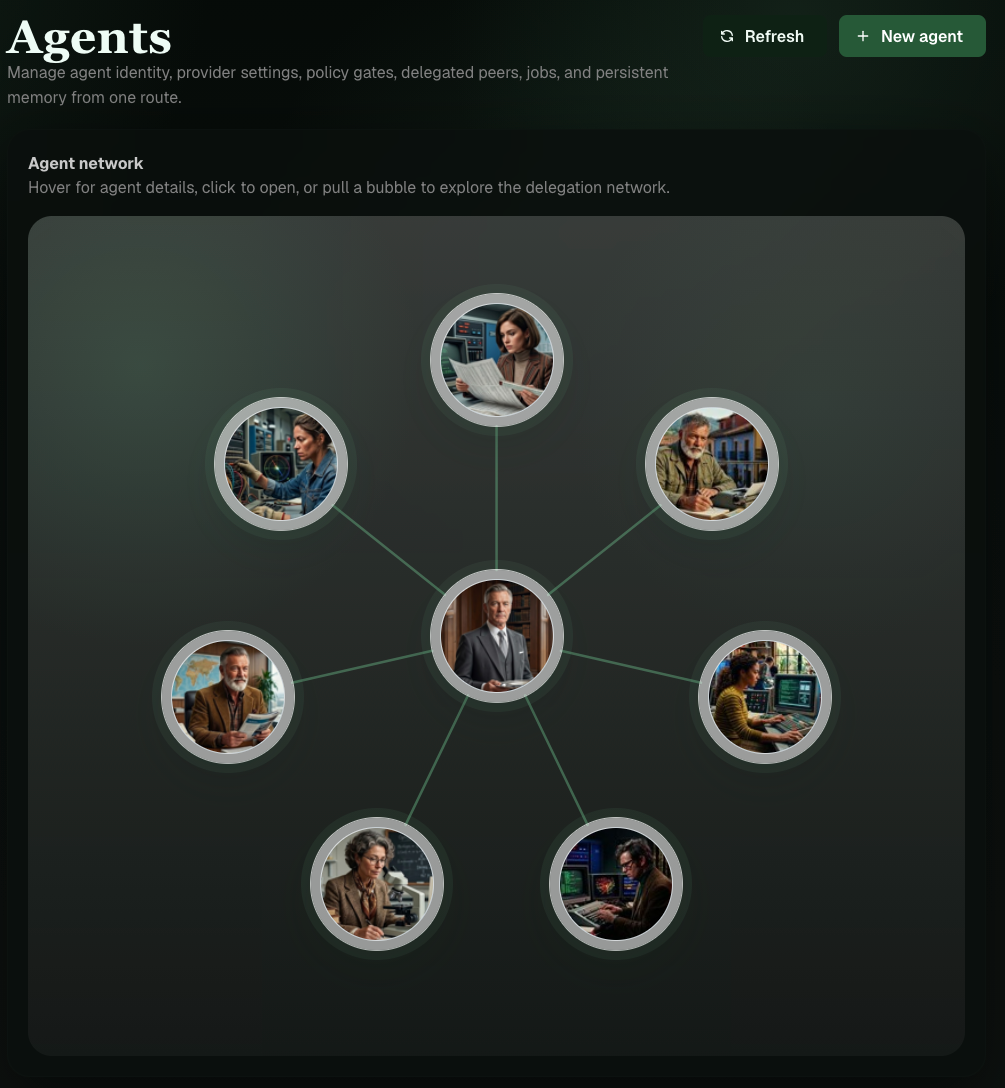
The agent list is not a form but a network: you see immediately who gives work to whom.
- Configure
- Agents and settings — who works here, with which model, and which tools.
- Build
- Skills and tools — what agents may be able to do, and at which risk level.
- Work
- Tasks, jobs, and workflows — what is to be done, when, and in which order.
- Monitor
- Statistics and operations — what it cost and what happened at every individual step.
- Access
- Users — who may see which agents and how much they can spend each month.
04Your server
From a laptop to a NAS on the shelf. All images are available for amd64 and arm64 — the Raspberry Pi is not a special case.
- Local, built from source, for a first look
- Local with ready-made images, without a checkout
- On the home network, without a public domain or port forwarding
- In the cloud on your own host with your own domain
05Would you do it?
Seven questions we asked ourselves while building. Each stands for a product decision.
Would you give a stranger your credit card?
Of course not. You would give it to an employee — with clear instructions, a limit, and a notification whenever something is charged. Every agent gets the same: a tool allowlist, an allowed risk level, and a monthly limit.
Would you let a powerful employee work without ever asking?
Nobody who carries responsibility would. That is why every run is individually traceable: model call, tool call, result, time, and estimated cost. Failures visibly land in the dead letter queue, not nowhere.
Would you tell every employee your whole life story for every task?
Certainly not. You provide what is needed for the task. That is how we treat context: keep it small, reload it selectively, and allow sessions to start fresh. It is not only cheaper — it is more reliable.
Would your car mechanic do your tax return?
Hardly. Eight agents with clear tasks beat one model that can do a little of everything — in quality and in cost.
Would you hire a freelancer and pay whatever comes up at the end of the month?
No. You would want to know where you stand beforehand. Set a monthly limit for each user — in tokens or estimated dollars. Once it is used up, no new work starts.
Would you pay someone every 30 minutes to hear the same story again?
No. That is exactly what most chatbots do: send the full history all over again with every response. We show you when a chat grows too large — and you can start it fresh with a command.
Would you run a black-box robot in your home or company?
Probably not. That is why OpenParrotAI runs on your hardware, communicates with the outside through only one door, and records what it did. With Ollama, not a single word leaves your network.